1. Open this link


2. You will find this picture, then you click “make new game now”

3. Register first before creating a new game


4. Create the game by entering questions


5. After make all the questions, fill the final joepardy games and then click “play/view this game now”


6.  play the game with students, and ask them to answer the question and click the coloumn 


7.  After clicking one of the column, the timming answer will be appeared as you see below


1. Open the application on your device, Click JQuiz


2. Type the title, question and answer


3. Give a time limit for your students to do the quiz


3. Save the quiz


The result will be appeared in browser


At first, You have to visit this URL www.Onlinequizcreator.com
Then, click quiz creator online
Second, you have to register before you using this. The easier if you login with facebook.


After that you’ll see the page provide many type of question that form quizzes, assesment, etc. Choose the quizzes.


You will get URL for your quiz. Click play the quiz if you want check your quiz.


Finally, your question will  appear in this page. you have to answer the question before the time is up and after you finish the quiz, the result will appear and give you rank.


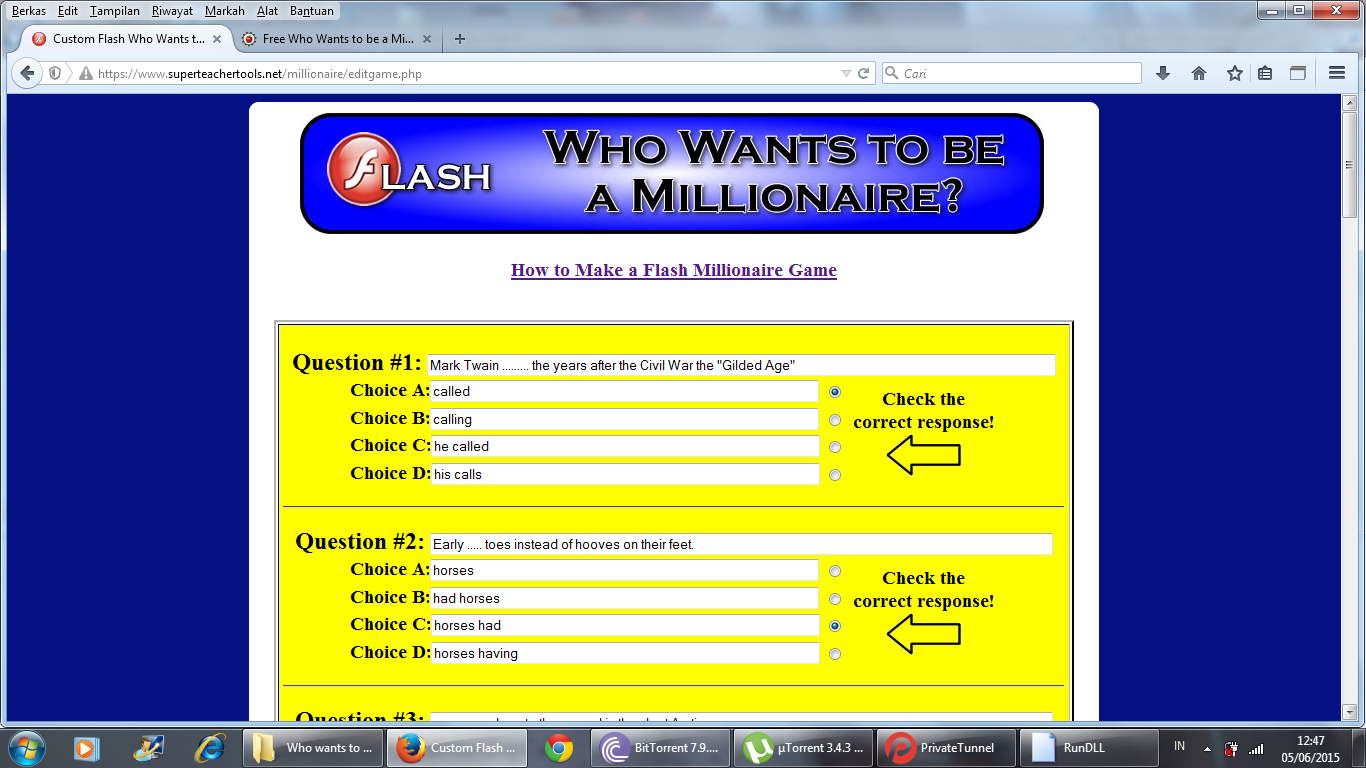
1. Open URL as seen on picture


2. Click Who Wants To Be a Millionaire?


3. After that, you will see this page


4. Click Make a New Game


5. Type the questions


6. Give the name of the game and click the button on the bottom page


7. The game has successfully made


1. Open http://www.printwithmypic.com/

2. Click on the calendar themes


3. Pick one of the template


4. Click add photo, upload photo to display your photo. Click on the Month button to change the month. Next, click Print.


5. This is the result of the calendar


1.  Login to your account

2. Click continue with trial


3. Click New Synced Prezi


4. Pick the template, click Use Template

5. Modify the template you have choosen, then click save


6. Your modified template has saved in your acoount

1. Login to your prezi account

2. Your account will be appeared, Click Explore


3. Choose prezi sample presentation from Explore page


4. Click Make a copy


5. Prezi sample presentataion you have choosen is copied to you account. Click edit


6. Edit the sample prezi presentation as you want to


7. It will automatically saved by the system, after that click exit


link : http://prezi.com/f5d5e8qh7ima/?utm_campaign=share&utm_medium=copy